


The average professional spends 28% of their workday reading and responding to email. For business owners and executives, that number is often higher. A virtual assistant for email management takes that burden off your plate, keeping your inbox organized, your replies timely, and your attention focused on work that actually moves the needle.
This guide covers exactly what an email management VA can do, how to set one up securely, and how to find the right provider for the job.
What an Email Management VA Actually Handles
An email management VA does far more than just reading messages. A well-trained assistant becomes the gatekeeper of your inbox, applying consistent rules and judgment to every message that comes in.
Here is what the role typically includes:
Inbox Triage and Organization
- Sorting and categorizing every incoming message by priority, topic, or sender
- Flagging urgent messages that need your immediate response
- Archiving or deleting spam, newsletters you never read, and irrelevant messages
- Unsubscribing from mailing lists and promotional senders cluttering your inbox
- Maintaining folder structure so you can find anything in seconds when you need it
Drafting and Sending Replies
A VA can handle routine replies outright and draft more nuanced responses for your review. Common examples include:
- Acknowledging receipt of proposals or applications
- Responding to scheduling requests with available time slots
- Sending standard follow-ups to clients or prospects who have not replied
- Forwarding messages to the right team member with context
- Drafting replies to complex emails for you to edit and send
Follow-Up Management
Dropped follow-ups cost businesses real money. Your VA can track every conversation that needs a response and make sure nothing falls through the cracks.
- Maintaining a follow-up tracker with due dates
- Sending gentle nudges to contacts who have not replied within a set window
- Flagging conversations that have gone cold so you can decide next steps
- Managing drip sequences for prospects or leads
Calendar and Scheduling via Email
Many meeting requests arrive by email. Your VA can handle the back-and-forth:
- Responding to meeting requests with your availability
- Sending calendar invites and confirmations
- Rescheduling appointments when conflicts arise
- Coordinating multi-party meetings across time zones
Signs You Need an Email Management VA
Not sure if you are ready to delegate your inbox? Here are the most common signals:
- You check email more than 10 times a day and lose focus on deep work each time
- Important messages get buried under promotional emails and low-priority threads
- You regularly forget to follow up on conversations that matter
- Your response time is slipping and clients or partners have noticed
- You spend your first hour every morning just getting through overnight messages
- You have tried email tools and automations but still cannot keep up
If three or more of these sound familiar, a VA will likely save you significant time and stress. Providers like Time Etc and BELAY both specialize in executive assistant tasks where email management is a core service.
How to Set Up a VA for Email Management
Getting a VA productive in your inbox requires some upfront work. Skip this step and you will spend more time fixing mistakes than you save. Invest a few hours during the first week and the payoff is months of clean, managed email.
Step 1: Document Your Email Workflow
Before your VA touches a single message, record how you currently handle email. The easiest method is a screen recording using Loom or a similar tool.
Cover the following:
- How you decide which emails are urgent vs. routine
- What types of emails you reply to yourself vs. delegate
- Your preferred tone and language for responses
- Any VIP contacts whose emails should always be flagged
- How you organize folders, labels, or categories
Step 2: Create Response Templates
Build a library of 10 to 15 template responses for your most common email types. These give your VA a starting point and ensure replies match your voice. Examples include:
- Meeting request confirmation
- Standard follow-up after a call
- Thank-you response to referrals
- Out-of-scope inquiry redirect
- Vendor inquiry or pitch decline
Step 3: Set Up Access and Tools
Give your VA the tools they need without exposing more than necessary. More on security below, but the basics include:
- Delegated mailbox access (Google Workspace and Outlook both support this)
- Calendar access for scheduling (view and edit permissions)
- Project management tool (Asana, Trello, or Notion) for tracking follow-ups
- Communication channel (Slack or Microsoft Teams) for real-time questions
Step 4: Define Escalation Rules
Your VA needs to know which emails require your direct input and which they can handle alone. Create a simple decision tree:
| Email Type | VA Action | Your Action |
|---|---|---|
| Spam / junk | Delete or unsubscribe | None |
| Newsletter you read | Move to reading folder | Read when ready |
| Routine client question | Reply using template | None |
| Meeting request | Reply with availability, send invite | None |
| Sales pitch | Decline using template or archive | None |
| Urgent client issue | Flag and notify you immediately | Respond directly |
| Contract or legal matter | Flag, do not reply | Handle personally |
| Email from VIP contact | Draft reply for your review | Review and send |
This table eliminates most of the guesswork and reduces the number of questions your VA needs to ask during the first few weeks.
Security and Access Best Practices
Giving someone access to your email is a significant trust decision. The right setup protects you without making your VA’s job harder.
Use delegated access, not your password. Google Workspace allows you to delegate your inbox to another Google account. Microsoft 365 has a similar shared mailbox feature. Your VA gets their own login and can manage your email without ever knowing your credentials.
Enable two-factor authentication (2FA). This should already be on for your primary account. Make sure your VA’s access account has it enabled too. Providers like BELAY require their assistants to follow strict security protocols, including device encryption and secure network usage.
Limit permissions to what is needed. If your VA only manages email, they do not need access to your cloud storage, financial accounts, or internal HR systems. Keep the scope tight and expand only when necessary.
Use an NDA. Most managed VA companies include a non-disclosure agreement as part of their standard contract. If you hire a freelancer, draft one yourself or use a template. This is non-negotiable for anyone handling your business communications.
Revoke access when the engagement ends. Set a calendar reminder to remove delegated access, change relevant passwords, and update any shared credentials on the day a VA’s contract concludes.
Time Savings and ROI
The math on email management VAs is straightforward. Here is a realistic breakdown:
Time spent on email by the average business owner: 2 to 3 hours per day
Time spent after hiring an email VA: 20 to 30 minutes per day (reviewing drafts and flagged items)
Net time saved: 1.5 to 2.5 hours per day, or roughly 8 to 12 hours per week
If your effective hourly rate is $150 (common for consultants, agency owners, and executives), those 10 recovered hours represent $1,500 per week in productive capacity. A full-time offshore VA from a provider like Stellar Staff costs roughly $1,599 per month — meaning the ROI turns positive within the first week.
Even a part-time VA at 10 hours per week can transform your productivity. Time Etc offers plans starting at just a few hours per week, which works well if your email volume is moderate or if you want to test the arrangement before committing to more hours.
Use our VA cost calculator to estimate your specific savings based on your email volume and hourly rate.
What to Look for in a VA Company for Email Management
Not every VA provider is equally suited for email management. Here is what to prioritize when evaluating your options.
Experience with Executive Support
Email management is fundamentally an executive assistant skill. Look for companies that position their VAs as executive or administrative assistants, not just general task workers. BELAY and Boldly both focus on high-caliber executive assistants with corporate backgrounds, which translates directly to better email judgment.
Strong Security Policies
Ask about data handling, device security, NDA requirements, and what happens to your data if the VA leaves. Companies with mature security practices will have clear answers. Avoid providers that seem vague about how they protect client information.
Replacement Guarantees
Your VA might not be the right fit, or they might leave. A good provider replaces them quickly and handles the transition. This matters more for email management than most VA tasks because your inbox cannot sit unattended for long.
Communication and Availability
Your VA needs to be available during your core working hours, especially if you receive time-sensitive emails. Confirm timezone overlap and response time expectations before signing up. US-based providers offer the easiest timezone match for American businesses, while offshore providers like Wishup often offer flexible scheduling to cover US business hours.
Comparison of Top Providers for Email Management
| Provider | Starting Price | VA Location | Email Mgmt Experience | Replacement Guarantee |
|---|---|---|---|---|
| BELAY | ~$2,100/mo | US-based | Strong — core EA service | Yes |
| Stellar Staff | ~$1,599/mo | Offshore (managed) | Strong — trained on email workflows | Yes |
| Time Etc | ~$400/mo (PT) | US and offshore | Good — popular task category | Yes |
| Boldly | ~$2,500/mo | US-based | Strong — senior EA focus | Yes |
| Wishup | ~$999/mo | Offshore (India) | Good — trained on common tools | Yes |
Browse all providers in our company reviews or use the comparison tool to filter by pricing, services, and specialties.
Making It Work Long-Term
The first month is the hardest. After that, a well-trained VA should require minimal oversight. Here are a few tips to keep the relationship productive:
Review drafts daily for the first two weeks. Give specific feedback on tone, word choice, and when to escalate. This teaches your VA how you think and communicate.
Hold a weekly 15-minute sync. Cover what went well, any messages that caused confusion, and any changes to your priorities. Keep it brief and consistent.
Update your templates quarterly. As your business evolves, your standard replies should too. Set a recurring reminder to review and refresh your template library.
Track metrics. Useful data points include average response time, number of messages handled per day, and how many flagged emails actually required your input. These numbers help you fine-tune the process and justify the expense.
Frequently Asked Questions
How much does a virtual assistant for email management cost?
Costs depend on the provider and whether you hire part-time or full-time. Offshore managed VA services typically charge $800 to $1,500 per month for full-time support. US-based services range from $2,000 to $3,500 per month. Part-time plans starting at 10 to 20 hours per week are available from most providers and can run $500 to $1,200 per month.
Is it safe to give a virtual assistant access to my email?
Yes, if you follow standard security practices. Use a delegated access account or shared mailbox rather than handing over your primary login. Enable two-factor authentication, restrict permissions to only the folders and functions the VA needs, and revoke access immediately if the engagement ends. Most reputable VA companies also have their assistants sign NDAs and follow data handling policies.
What tasks can an email management VA handle?
A trained email management VA can sort and categorize incoming messages, respond to routine inquiries using approved templates, flag urgent messages for your attention, unsubscribe from junk lists, draft replies for your review, manage follow-up sequences, schedule meetings from email requests, and maintain inbox zero on a daily basis.
How long does it take to onboard a VA for email management?
Most VAs can start handling basic email triage within the first week if you provide clear guidelines and templates. Full onboarding, including drafting replies in your voice and managing complex follow-ups, typically takes two to three weeks. Recording a few Loom videos of how you process email speeds this up significantly.
Next Steps
If your inbox is a constant source of stress and lost time, a virtual assistant for email management is one of the most practical first hires you can make. The setup takes a few hours, and the return shows up in your calendar within the first week.
Email management is often the first task business owners delegate, but it works best when paired with a structured handoff process. Our guide on how to delegate tasks to a virtual assistant covers the frameworks that make delegation stick. And before your VA starts, use our VA onboarding checklist to make sure tools, access, and escalation rules are ready from day one.
Start by reviewing providers that excel at executive assistant and email support. Check our detailed reviews for companies like BELAY, Stellar Staff, and Time Etc, and use the comparison tool to see how they compare on pricing, services, and VA quality.
Your inbox should be a tool that serves your business — not a job that consumes your day.
Frequently Asked Questions
How much does a virtual assistant for email management cost?
Is it safe to give a virtual assistant access to my email?
What tasks can an email management VA handle?
How long does it take to onboard a VA for email management?
Related Articles

Best Virtual Assistant Companies in 2026: 10 Services Compared
We tested and reviewed the top virtual assistant companies in 2026. Compare pricing, vetting processes, service quality, and which provider fits your business.
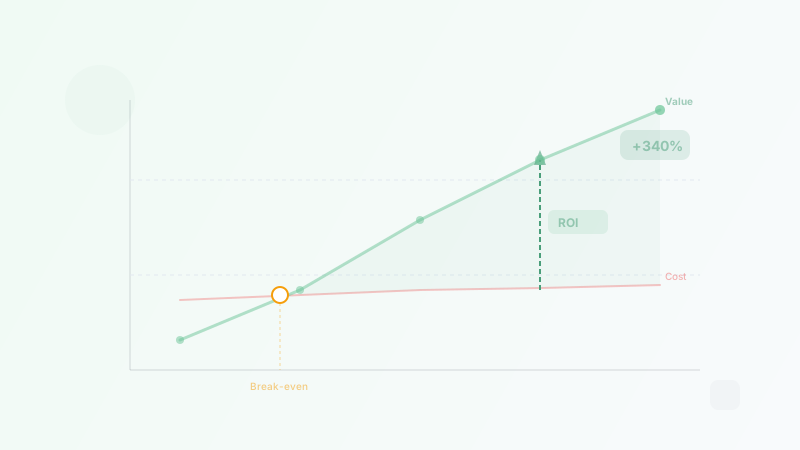
The ROI of Hiring a Virtual Assistant: How to Calculate Your Savings
Calculate the real ROI of hiring a virtual assistant. Covers formulas, time recovery, opportunity cost, break-even analysis, and real-world examples.
Best Virtual Assistant Companies for Small Business (2026)
We reviewed 170+ VA companies and ranked the 8 best for small businesses in 2026. Compare pricing, services, and what each company does best.