

Data entry is the work nobody wants to do but every business depends on. CRM records, invoice processing, inventory updates, lead list building, spreadsheet reconciliation — these tasks eat hours every week and require zero strategic thinking. They just need to be done accurately and consistently.
A virtual assistant for data entry handles this work at a fraction of what it costs to do it yourself or hire locally. A full-time offshore data entry VA runs $800 to $1,500 per month through a managed service. Compare that to the cost of your own time, or a US-based employee at $3,000 to $4,500 per month plus benefits.
This guide covers the types of data entry VAs handle, how to set accuracy standards, the quality control systems that prevent costly errors, and what to look for when hiring.
Types of Data Entry a VA Can Handle
Data entry is not a single task — it is a category that covers a wide range of structured input work. Here is what falls under the umbrella.
CRM Data Entry and Management
This is the most common data entry task delegated to VAs. It includes:
- Contact creation and updates — Adding new leads, updating phone numbers, correcting email addresses, merging duplicates
- Deal and pipeline updates — Moving deals through stages, logging activity notes, updating close dates and values
- Tagging and segmentation — Applying tags, categories, or custom fields to contacts based on defined criteria
- Import processing — Taking lead lists from events, purchased databases, or marketing campaigns and importing them into the CRM with proper formatting
A clean CRM drives everything downstream — email marketing, sales follow-up, reporting, and forecasting. If your CRM is a mess, a data entry VA can spend the first two to four weeks doing a full cleanup, then maintain it ongoing.
Spreadsheet and Database Work
- Data migration — Moving data from one system to another (old CRM to new CRM, spreadsheets to database, paper records to digital)
- Data consolidation — Combining information from multiple sources into a single master spreadsheet
- List building — Researching and compiling prospect lists, vendor lists, or inventory lists from online sources
- Regular reporting — Pulling data from multiple sources and formatting it into weekly or monthly reports
Invoice and Financial Data Entry
- Invoice processing — Entering invoice details into accounting software (QuickBooks, Xero, FreshBooks)
- Receipt categorization — Logging and categorizing expenses from receipt images
- Accounts receivable tracking — Recording payments, updating outstanding balances, flagging overdue invoices
- Purchase order entry — Inputting PO details into inventory or procurement systems
For more complex financial work beyond basic data entry, see our guide on hiring a VA for bookkeeping.
E-Commerce Data Entry
- Product listing creation — Entering titles, descriptions, pricing, SKUs, and images on Shopify, Amazon, WooCommerce, or eBay
- Inventory updates — Adjusting stock levels across platforms, updating availability status
- Order processing — Entering order details, tracking shipments, updating fulfillment status
- Price monitoring — Tracking competitor pricing and updating your listings accordingly
Document and Form Processing
- PDF extraction — Pulling data from PDF documents and entering it into spreadsheets or databases
- Survey data entry — Transcribing paper or handwritten survey responses into digital formats
- Application processing — Entering data from applications, registrations, or intake forms
- Records digitization — Converting paper records to digital files with proper indexing
Setting Accuracy Standards
Data entry is only valuable if it is accurate. Bad data is worse than no data because it leads to wrong decisions, wasted outreach, and compliance risks. Here is how to define and enforce accuracy standards.
Define What Accuracy Means for Each Task
Not all data entry errors carry the same weight. A typo in a CRM note is low-impact. A wrong digit in an invoice amount creates a real financial problem. Categorize your data entry tasks by risk level:
| Risk Level | Examples | Target Accuracy | Verification Method |
|---|---|---|---|
| High | Financial data, medical records, legal documents | 99%+ | Double-entry or supervisor review |
| Medium | CRM contacts, product listings, lead lists | 97-99% | Spot-check 10-15% of entries |
| Low | Internal notes, research summaries, non-critical logs | 95%+ | Weekly random sampling |
Create Data Templates
The easiest way to reduce errors is to constrain what the VA can enter. Use:
- Dropdown menus instead of free-text fields where possible
- Data validation rules in Google Sheets or Excel (number ranges, date formats, required fields)
- Standardized templates with pre-formatted columns, headers, and example entries
- Naming conventions documented in a shared reference guide
Templates reduce errors more than training does. If the VA can only choose from a predefined list of categories, they cannot misspell a category name. Design your systems to prevent mistakes rather than catch them after the fact.
Establish a Feedback Loop
During the first two weeks, review 100 percent of the VA’s data entry output. This is not sustainable long-term, but it sets the quality bar and catches misunderstandings early. After that:
- Week 3-4: Review 50 percent of output
- Month 2: Review 15-20 percent (random spot checks)
- Month 3 and beyond: Review 10 percent weekly, with full audits monthly
If the error rate exceeds your threshold, stop adding new tasks and retrain on the problematic area. Most accuracy issues stem from unclear instructions, not lack of effort. Revisit your SOPs before assuming the VA is the problem.
Quality Control Systems That Work
Beyond spot-checking, build systematic safeguards into your data entry workflows.
The Dual-Entry Method
For high-stakes data, have the VA enter the data once, then verify it by cross-referencing the source document a second time on a different day. This catches errors that happen when someone is moving too quickly. It doubles the time investment, so reserve it for financial data, legal information, or any data that directly impacts revenue.
Automated Validation
Use built-in features of your tools to catch errors automatically:
- Conditional formatting in spreadsheets to highlight entries that fall outside expected ranges (e.g., a quantity of 10,000 when the usual range is 10-100)
- CRM validation rules that flag incomplete records or duplicates
- Email verification tools (NeverBounce, ZeroBounce) to validate email addresses after the VA enters them
- Accounting software reconciliation that flags discrepancies between entered data and bank statements
Batch Processing
Instead of entering data one item at a time throughout the day, have the VA process entries in batches. For example:
- Process all invoices received before noon in a single afternoon session
- Enter all new CRM contacts from a lead list in one sitting
- Update all product listings that need price changes at the start of each week
Batch processing improves accuracy because the VA develops a rhythm with repetitive tasks. It also makes quality checks easier — you review one batch instead of chasing individual entries throughout the day.
Tools for Data Entry VAs
The right tools make data entry faster and more accurate. Here is what your VA should be equipped with.
Core Tools
- Google Sheets / Microsoft Excel — The baseline. Your VA should be comfortable with formulas, pivot tables, VLOOKUP, filters, and data validation. If they only know basic cell entry, they are underskilled for anything beyond simple list work.
- Your CRM — HubSpot, Salesforce, Pipedrive, or whatever your business uses. The VA needs login access and training on your specific workflows and custom fields.
- Google Workspace or Microsoft 365 — For document management, email, and collaboration.
Productivity Boosters
- TextExpander or PhraseExpress — Shortcuts for frequently typed entries. If the VA enters the same city names, product categories, or status labels hundreds of times, text expansion saves significant time.
- Otter.ai or Descript — For transcribing audio into text that the VA then formats and enters.
- Zapier or Make — For automating repetitive data transfers between tools. A VA with basic automation skills can set up flows that eliminate manual entry for certain tasks entirely.
Data Extraction Tools
- Adobe Acrobat — For extracting data from PDFs, especially structured forms.
- Docparser or Parseur — Automated PDF and email parsing tools that pull structured data from recurring document formats.
- Google Vision API or Amazon Textract — OCR tools for extracting text from images and scanned documents.
Most managed VA providers like Stellar Staff and 20four7VA ensure their VAs are proficient in core tools before placement. If you need expertise with specialized software, mention it during the matching process.
Cost Analysis
Data entry is one of the most cost-effective tasks to delegate to a virtual assistant. Here is how the numbers compare.
| Option | Monthly Cost (Full-Time) | Pros | Cons |
|---|---|---|---|
| Do it yourself | $0 out of pocket, but high opportunity cost | No additional expense | Your time is worth more than data entry rates |
| Offshore VA (managed) | $800-1,500 | Low cost, managed quality, replacement guarantees | Timezone gap, async communication |
| Offshore VA (freelance) | $650-1,200 | Lowest cost | You handle management, no backup |
| US-based VA (managed) | $2,000-3,500 | Same timezone, native English | Higher cost for tasks that do not need US presence |
| In-house employee | $3,000-4,500 + benefits | Full control, immediate availability | Highest cost, HR overhead, underutilized if data entry is not full-time |
For pure data entry, offshore managed services offer the best value. You are paying for process execution, not strategic thinking. The VA’s location matters less than their accuracy and speed.
Calculate the opportunity cost of doing data entry yourself: if you earn $100 per hour on revenue-generating work and spend 10 hours per week on data entry, that is $4,000 per month in opportunity cost. A VA at $1,200 per month saves you $2,800 per month in recovered productive time.
For a detailed, personalized estimate, use our VA cost calculator or browse the best virtual assistant companies to compare providers.
How to Onboard a Data Entry VA
Data entry VAs are among the fastest to onboard because the work is highly structured. Follow this timeline to get your VA productive within the first week.
Before Day One
- Create templates for every data type. Spreadsheets with headers, formatting rules, and example rows. CRM views with the fields the VA will populate. Invoice entry forms with required fields highlighted.
- Record screen walkthroughs. Use Loom to capture yourself entering 10 to 15 records. Walk through the process at normal speed, explaining your decisions as you go.
- Write a style guide. Date format (MM/DD/YYYY vs. YYYY-MM-DD), capitalization rules, abbreviation standards, how to handle missing data fields. This document prevents 80 percent of formatting errors.
- Set up tool access. CRM logins, spreadsheet sharing, software licenses, and communication tools.
Days 1-3: Guided Practice
- Have the VA enter 50 to 100 records while you monitor output in real time.
- Review every entry and provide immediate feedback.
- Correct misunderstandings on the spot — most errors in the first week are misinterpretation errors, not skill issues.
Days 4-7: Independent Execution
- The VA processes a full day’s workload independently.
- You review all output at the end of each day.
- Refine SOPs based on any recurring errors.
Week 2 and Beyond
- Shift to spot-check reviews (15-20 percent of entries).
- Introduce additional data entry categories as accuracy holds.
- Schedule weekly check-ins to discuss volume, challenges, and process improvements.
For a comprehensive onboarding framework, see our virtual assistant onboarding checklist. For guidance on what to delegate first, read how to delegate tasks to a virtual assistant.
Common Mistakes to Avoid
Not defining data standards upfront. If you do not specify whether phone numbers should include country codes, how names should be capitalized, or what to do with incomplete records, you will get inconsistent data. Define standards before the VA starts, not after you discover a mess.
Overloading the VA with variety too early. Start with one type of data entry. Let the VA master CRM entry before adding invoice processing, product listings, and spreadsheet consolidation. Specialization builds speed and accuracy. Variety introduces errors.
Using free-text fields when structured fields work. Every free-text field is an opportunity for inconsistency. Convert as many inputs as possible to dropdowns, checkboxes, or predefined options. Your VA will be faster and more accurate with constrained inputs.
Ignoring the tools. A VA entering data manually into cells one by one when they could use copy-paste, import functions, or text expansion shortcuts is wasting time and your money. Invest 30 minutes to show them the fastest way to handle each task type.
Not tracking speed alongside accuracy. Accuracy without speed is inefficient. Speed without accuracy is destructive. Track both. A good benchmark for straightforward CRM entry is 50 to 80 records per hour with 97 percent or higher accuracy. If your VA is significantly below those numbers after the first month, investigate whether the process or the person needs to change.
Frequently Asked Questions
What accuracy rate should I expect from a data entry VA?
A professional data entry VA should maintain an accuracy rate of 97 to 99 percent. For high-stakes data like financial records or medical information, target 99 percent or higher with a verification step built into the process. Managed VA providers like Stellar Staff and 20four7VA vet for accuracy during their screening process, and most will replace a VA who consistently falls below quality standards.
How much does a data entry virtual assistant cost?
Offshore data entry VAs through managed services cost $800 to $1,500 per month full-time. Freelancers on platforms like Upwork charge $4 to $12 per hour depending on location and experience. US-based data entry VAs run $2,000 to $3,500 per month. For most businesses, an offshore managed VA provides the best balance of cost and reliability for data entry work.
What tools should a data entry VA know?
At minimum, a data entry VA should be proficient in Google Sheets or Microsoft Excel, your CRM platform (HubSpot, Salesforce, etc.), and any industry-specific software you use. Familiarity with data cleaning tools, PDF extraction tools, and basic automation features like Excel macros or Google Sheets formulas is a plus. Most managed providers train their VAs on standard business tools before placement.
How do I ensure data quality with a remote VA?
Build a three-layer quality control system. First, provide clear data formatting rules and templates so the VA knows exactly what correct output looks like. Second, implement spot-checking — review a random 10 to 15 percent sample of entries weekly. Third, use validation features in your tools like dropdown menus, conditional formatting, and data validation rules to prevent common errors at the point of entry.
Next Steps
Data entry is one of the simplest and highest-ROI tasks to delegate to a virtual assistant. The work is structured, measurable, and does not require your expertise. Every hour your VA spends entering data is an hour you get back for work that actually moves your business forward.
Start by auditing how many hours you spend on data entry each week. If the number is five or more, a VA will pay for itself almost immediately. Browse the best virtual assistant companies to find a provider that fits your budget, or read our guide on how to delegate tasks effectively to set the relationship up for success.
Frequently Asked Questions
What accuracy rate should I expect from a data entry VA?
How much does a data entry virtual assistant cost?
What tools should a data entry VA know?
How do I ensure data quality with a remote VA?
Related Articles

Best Virtual Assistant Companies in 2026: 10 Services Compared
We tested and reviewed the top virtual assistant companies in 2026. Compare pricing, vetting processes, service quality, and which provider fits your business.
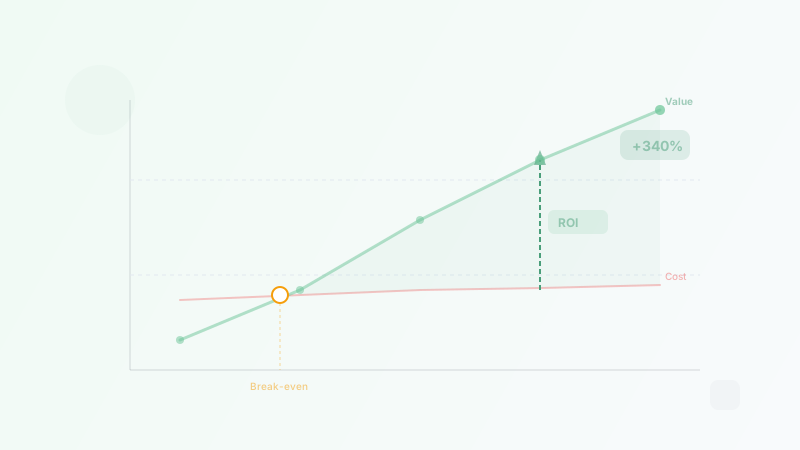
The ROI of Hiring a Virtual Assistant: How to Calculate Your Savings
Calculate the real ROI of hiring a virtual assistant. Covers formulas, time recovery, opportunity cost, break-even analysis, and real-world examples.
Best Virtual Assistant Companies for Small Business (2026)
We reviewed 170+ VA companies and ranked the 8 best for small businesses in 2026. Compare pricing, services, and what each company does best.