


Customer service is one of the first things that breaks when a business starts growing. A Zendesk benchmark report found that 72% of customers expect a response within an hour, yet the average small business takes over 12 hours to reply to a support ticket. Response times creep up, tickets pile into the weekend, and you or your team spend hours answering the same questions over and over. A virtual assistant for customer service handles the repetitive support work — email replies, live chat, helpdesk tickets, social media messages — so your core team can focus on product, sales, and the complex issues that actually require their expertise.
This guide covers the channels a customer service VA can manage, the tools they need to know, how to train and monitor quality, what it costs compared to an in-house hire, and when a VA is the right fit versus when you need a larger support operation.
Customer Service Channels a VA Can Handle
A good customer service VA is not limited to answering emails. Depending on their training and your setup, they can cover most of the channels your customers use to reach you.
Email Support
Email is the easiest channel to delegate. Your VA can work through an inbox or helpdesk queue, respond using templates you provide, and escalate anything outside their scope. Because email is asynchronous, your VA has time to check your knowledge base before replying, which makes it ideal as a starting point.
Live Chat
Live chat requires faster thinking, but most customer questions on chat are simple — order status, return policies, pricing, how-to questions. A VA with access to your knowledge base and a set of canned responses can handle 80 to 90 percent of chat volume without escalation.
Phone Support
Phone is the most demanding channel. Your VA needs strong English (or whatever language your customers speak), comfort with real-time conversations, and clear escalation guidelines. If you need phone coverage, look for VA providers that specifically screen for verbal communication skills.
Social Media DMs and Comments
Customers increasingly reach out through Instagram, Facebook, and X (Twitter) DMs. A VA can monitor these channels, respond to common questions, and flag anything that needs your personal attention. This keeps your response time low without requiring you to live inside social apps.
Helpdesk Ticket Queues
If you use a ticketing system, your VA can triage incoming tickets, tag them by category or priority, respond to straightforward ones, and route complex issues to the right person. This is where a VA adds the most operational value — keeping the queue moving instead of letting tickets age.
Tools a Customer Service VA Should Know
Your VA does not need to master every support tool on the market. But they should be comfortable learning whatever platform you use. Here are the most common ones by category.
Helpdesk and ticketing platforms:
- Zendesk
- Freshdesk
- Help Scout
- Zoho Desk
Live chat and messaging:
- Intercom
- Drift
- LiveChat
- Tidio
CRM with support features:
- HubSpot Service Hub
- Salesforce Service Cloud
E-commerce-specific support:
- Gorgias (Shopify-focused)
- Reamaze
- Richpanel
Internal communication:
- Slack
- Microsoft Teams
- Loom (for async video updates)
When hiring through a managed VA service, ask whether their assistants have experience with your specific platform. Providers like Support Shepherd and Stellar Staff vet candidates on tool proficiency before matching them to clients. If you use a less common tool, most VAs can learn it within a few days if you provide screen recordings of your workflows.
How to Train a Customer Service VA
Training is the single biggest factor in whether your VA succeeds or fails at customer service. Skipping this step leads to frustrated customers and a frustrated VA. Here is a practical framework.
Build a Knowledge Base First
Before your VA answers a single ticket, they need a reference document. This does not have to be fancy. A Google Doc or Notion page covering these areas is enough to start:
- Product or service overview — What you sell, who buys it, and the most common use cases
- Pricing and policies — Refund policy, shipping times, warranty terms, subscription details
- Common issues and solutions — The top 20 questions customers ask, with approved answers
- Account and billing procedures — How to issue refunds, update accounts, apply discounts
Create Response Templates
Write templates for your most frequent ticket types. These are not robotic scripts — they are starting points your VA can personalize. A good template includes a greeting, the answer, next steps, and a closing. Your VA adapts the tone and details to each customer.
Define Escalation Rules
Your VA needs to know exactly when to stop and pass a ticket to you or a specialist. Clear escalation rules prevent two problems: your VA attempting to handle issues beyond their ability, and your VA escalating everything because they are afraid of making mistakes.
Define escalation triggers like:
- Customer requests a refund above a certain dollar amount
- Technical issue requires access to backend systems
- Customer is threatening legal action or a chargeback
- Issue involves a VIP or enterprise account
- The VA has gone back and forth more than three times without resolution
Run a Shadowing Period
For the first week, have your VA draft responses but not send them. You review every reply, give feedback, and approve before it goes out. This catches errors early and builds your VA’s confidence. By week two, most VAs are ready to send routine responses independently.
Monitoring Quality
Hiring a VA is not a set-and-forget move. You need a lightweight quality system to make sure standards hold over time.
Key Metrics to Track
| Metric | What It Measures | Target Range |
|---|---|---|
| First response time | How fast your VA replies to new tickets | Under 1 hour (email), under 2 minutes (chat) |
| Resolution time | How long it takes to fully resolve an issue | Under 24 hours for standard tickets |
| CSAT score | Customer satisfaction rating after interaction | 85% or higher |
| First contact resolution | Percentage of issues resolved in one reply | 60-75% |
| Escalation rate | Percentage of tickets sent to a specialist | Under 20% |
Ticket Audits
Review a random sample of 10 to 15 tickets per week. Check for accuracy, tone, adherence to your templates, and proper escalation. Give your VA specific, written feedback. Over time, the number of corrections should drop significantly.
Customer Feedback Loops
Enable post-interaction surveys (most helpdesk tools have this built in). Pay attention to negative ratings — they often reveal gaps in training or unclear policies rather than VA performance issues.
Cost Comparison: VA vs. In-House Customer Service Rep
One of the main reasons businesses hire a virtual assistant for customer service is cost. Here is how the numbers typically break down.
| Cost Category | Customer Service VA (Offshore, Managed) | In-House Customer Service Rep |
|---|---|---|
| Monthly salary/fee | $800 - $1,600 | $3,200 - $4,500 |
| Benefits (health, PTO, retirement) | Included in fee or not applicable | $500 - $1,200/month |
| Equipment and office space | None — VA uses their own | $200 - $600/month |
| Recruiting and HR costs | Handled by VA provider | $1,000 - $3,000 (one-time) |
| Training and onboarding | 1-2 weeks, minimal cost | 2-4 weeks, higher cost |
| Replacement if they leave | Provider supplies replacement | Full recruiting cycle restarts |
| Total monthly cost | $800 - $1,600 | $4,000 - $6,300 |
The savings are significant, especially for small and mid-size businesses that need reliable support but cannot justify the overhead of a full-time, in-house hire. Companies like 20four7 VA and Support Shepherd offer dedicated full-time VAs at the lower end of this range, while US-based providers like Boldly sit closer to $3,000 to $4,000 per month for stateside talent.
Browse our provider reviews to compare pricing, or use the comparison tool to filter by customer service experience and budget.
When a VA Works for Customer Service (and When It Does Not)
A virtual assistant for customer service is a strong fit when:
- Your ticket volume is manageable. One VA can realistically handle 30 to 80 email tickets per day or 20 to 40 live chats per shift, depending on complexity.
- Most inquiries are repetitive. If 70 to 80 percent of your tickets are about the same 15 to 20 topics, a VA with good templates can handle them efficiently.
- You need coverage in specific hours. A VA in the Philippines covers US evening and overnight hours. A Latin America-based VA covers US business hours with minimal timezone gap.
- You want to scale gradually. Start with one VA, measure results, then add a second if volume grows.
A VA is not the right fit when:
- You need deep technical support. If most tickets require engineering-level troubleshooting or access to production systems, you need in-house specialists.
- Volume exceeds 500+ tickets per day. At this scale, you need a team with shift coverage, a team lead, and formal QA processes — not a single VA.
- Regulatory requirements demand on-site staff. Some industries (healthcare, finance) have compliance rules that restrict who can access customer data and from where.
- You have zero documentation. If your product or service is so undocumented that even you cannot explain it in writing, a VA will struggle. Fix the knowledge gap first.
Common Pitfalls and How to Avoid Them
Dumping everything on day one. Start your VA on a single channel (usually email) with your most common ticket types. Add channels and complexity over two to four weeks as they prove competency.
No written escalation rules. If your VA has to guess when to escalate, they will either bother you with trivial issues or try to handle things they should not. Write it down. Be specific.
Ignoring timezone math. If your VA is in Manila and your customers are in New York, there is a 12-hour gap. Plan your coverage windows and set customer expectations about response times during off-hours.
Skipping regular feedback. VAs improve when you give them concrete feedback. A weekly 15-minute review of flagged tickets keeps quality high without eating your schedule.
Using a VA as a band-aid for a broken process. If your product generates an unusually high volume of support requests, the problem is not your support capacity — it is your product. A VA can manage the symptom, but you still need to fix the root cause.
Frequently Asked Questions
What customer service channels can a virtual assistant handle?
A trained VA can handle email support, live chat, phone calls, social media DMs, and helpdesk ticket queues. Most VAs start with email and chat because those channels allow time to reference your knowledge base and scripts. Phone support is added once the VA is comfortable with your product and escalation procedures.
How much does a customer service virtual assistant cost?
Offshore VAs through managed services typically cost $800 to $1,600 per month full-time. US-based managed VAs range from $2,200 to $4,500 per month. Freelancers charge $5 to $20 per hour offshore or $20 to $40 per hour domestically. These rates are significantly lower than hiring an in-house rep when you factor in benefits, office space, and HR overhead.
How do I train a virtual assistant for customer service?
Start with your knowledge base and product documentation. Record screen walkthroughs of your most common ticket types. Write response templates for the top 20 questions customers ask. Define escalation rules so your VA knows exactly when to pass an issue to you or a specialist. Most VAs can handle 80 percent of routine tickets after two weeks of focused training.
When should I hire a full team instead of a customer service VA?
If you handle more than 500 tickets per day, need 24/7 coverage across multiple time zones, or require deep technical troubleshooting, a dedicated team makes more sense. A single VA works best for businesses handling up to 50 to 100 tickets per day that are mostly repetitive. Many companies start with one VA and scale to a small team as volume grows.
Next Steps
If your support queue is growing faster than your ability to keep up, a virtual assistant for customer service is the most cost-effective way to bring response times back under control without the overhead of a full-time hire.
If you run an online store, our guide on virtual assistants for ecommerce covers how customer support fits into the broader set of tasks an ecommerce VA can handle. And once you have chosen a provider, use our VA onboarding checklist to make sure your new assistant is set up with the right tools, access, and training from day one.
Start by identifying which channel needs help most — usually email or chat — and document your top 20 ticket types with approved responses. That preparation alone will cut your VA’s ramp-up time in half.
Check our provider reviews for companies like Support Shepherd, Stellar Staff, and 20four7 VA that specialize in matching customer service VAs to growing businesses. Use the comparison tool to filter by pricing, support expertise, and coverage hours.
The businesses that maintain strong customer satisfaction as they scale are not the ones that hire the biggest teams. They are the ones that build repeatable support systems and put the right people in place to run them.
Frequently Asked Questions
What customer service channels can a virtual assistant handle?
How much does a customer service virtual assistant cost?
How do I train a virtual assistant for customer service?
When should I hire a full team instead of a customer service VA?
Related Articles

Best Virtual Assistant Companies in 2026: 10 Services Compared
We tested and reviewed the top virtual assistant companies in 2026. Compare pricing, vetting processes, service quality, and which provider fits your business.
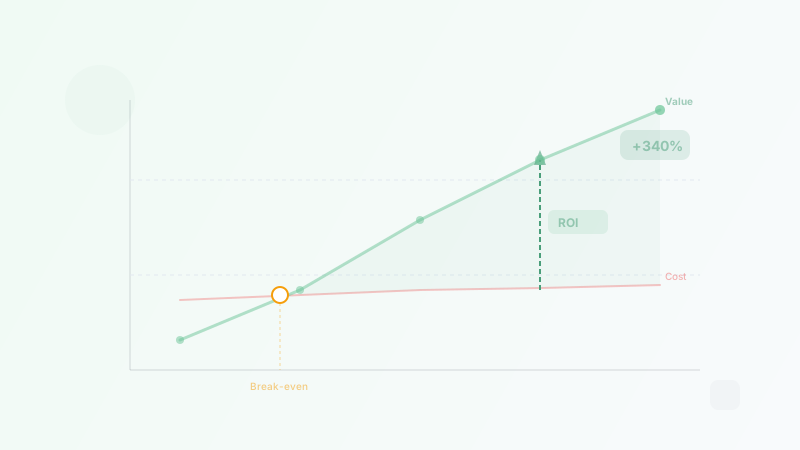
The ROI of Hiring a Virtual Assistant: How to Calculate Your Savings
Calculate the real ROI of hiring a virtual assistant. Covers formulas, time recovery, opportunity cost, break-even analysis, and real-world examples.
Best Virtual Assistant Companies for Small Business (2026)
We reviewed 170+ VA companies and ranked the 8 best for small businesses in 2026. Compare pricing, services, and what each company does best.