
The number-one reason virtual assistant relationships fail is not bad talent. It is bad documentation. A founder hands off a task with a vague explanation, the VA interprets it differently, the output misses the mark, and the founder concludes the VA is incompetent. In reality, the founder never wrote down how the task should be done.
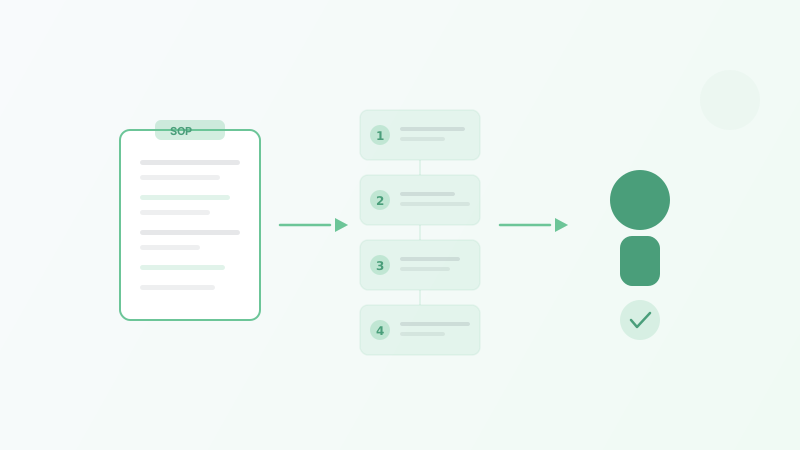
Standard operating procedures fix this. An SOP is a step-by-step document that tells your VA exactly how to complete a recurring task — from the trigger that starts it to the output that signals it is done. SOPs eliminate guesswork, reduce errors, make quality consistent, and allow you to swap in a new VA without losing weeks to retraining.
This guide walks through how to create SOPs that actually get used, with templates for the most common tasks delegated to virtual assistants.
Why SOPs Matter More Than You Think
Most business owners understand SOPs conceptually but underestimate the practical impact. Here is what changes when you document your processes.
Onboarding drops from weeks to days. A VA with clear SOPs can start producing quality work within the first week. Without SOPs, the same VA needs two to four weeks of back-and-forth before they understand your expectations. If you want to see the full impact, our virtual assistant onboarding checklist details how documentation accelerates the entire ramp-up process.
Errors go down dramatically. When a task is documented with screenshots, expected outputs, and exception handling, there is almost no room for interpretation errors. The VA follows the procedure. If the output is wrong, you update the SOP — not the person.
You stop being the bottleneck. Without SOPs, your VA has to ask you questions constantly. Every interruption breaks your focus and slows both of you down. SOPs are the answer to most of those questions before they get asked.
Replacement becomes painless. VAs leave. It happens. If your processes live in your VA’s head, you start over from zero when they go. If your processes live in documented SOPs, a replacement VA can pick up where the last one left off within days.
You can scale. Growing from one VA to two or three is only possible if you have documented processes. You cannot train multiple people by sitting on calls and explaining things verbally. SOPs let you scale your delegation without scaling your management time.
The Anatomy of a Good SOP
An effective SOP is not a novel. It is a reference document that a VA can follow while doing the task. Every SOP should contain these five elements.
1. Title and Objective
State what the SOP covers and why the task matters. This gives your VA context, which helps them make better judgment calls when the procedure does not cover an edge case.
Example:
SOP: Daily Email Inbox Management Objective: Keep the founder’s inbox under 20 unread messages by end of day. Ensure urgent messages are flagged within 30 minutes of arrival. Respond to routine messages using approved templates.
2. Trigger
What initiates this task? Is it time-based (daily at 9 AM), event-based (when a new lead comes in), or request-based (when the founder asks)?
Example:
Trigger: Perform twice daily — at 9:00 AM and 2:00 PM EST.
3. Step-by-Step Instructions
This is the core of the SOP. Write each step as a clear action. Use numbered lists. Include screenshots or short video clips for steps that involve navigating software.
Guidelines for writing good steps:
- Start each step with a verb: “Open,” “Click,” “Navigate to,” “Copy,” “Send”
- Be specific about where to click and what to type — do not assume the VA knows your tool’s interface
- Include decision points: “If X, do Y. If Z, do W.”
- Reference specific tools, tabs, buttons, and menu items by name
4. Expected Output
Describe what the finished work looks like. This gives your VA a quality benchmark to check their work against before marking the task complete.
Example:
Expected output: Inbox has fewer than 20 unread messages. All urgent messages are flagged and a Slack notification has been sent. Routine messages have been responded to using the template library. A daily summary of key messages is posted in the #inbox-updates Slack channel by 3:00 PM EST.
5. Exception Handling
No SOP covers every scenario. Tell your VA what to do when they encounter something the SOP does not address.
Example:
If you are unsure how to categorize or respond to a message: Do not guess. Flag the email with a yellow star and add it to the “Needs Review” section of the daily summary. The founder will address it directly.
How to Create SOPs: The Step-by-Step Process
Step 1: List Your Recurring Tasks
Before writing a single SOP, list every task you plan to delegate. Then rank them by two criteria: how frequently you do them, and how much time they consume. The tasks at the top of both lists are your first SOPs.
Most business owners start with these:
- Email inbox management
- Calendar scheduling
- CRM data entry and updates
- Social media posting
- Invoice creation and follow-up
- Customer support responses
- Meeting preparation
- Travel booking
- Data reporting
For a broader delegation framework, see our guide on how to delegate tasks to a virtual assistant.
Step 2: Record Yourself Doing the Task
The fastest way to create an SOP is to screen-record yourself performing the task while narrating your thought process. Open Loom or any screen recording tool and walk through the entire process from start to finish.
While recording:
- Explain each click and decision out loud
- Point out common mistakes or things to watch for
- Mention any edge cases you encounter and how you handle them
- Note which tools and logins are needed
A five to ten minute recording captures more detail than you would ever think to write down. Your VA can watch the recording, follow along, and refer back to it when they get stuck.
Step 3: Convert the Recording Into a Written Document
Recordings are great for initial learning, but written SOPs are better for daily reference. Your VA should not have to rewatch a ten-minute video to remember one step.
Convert the recording into a structured document using this format:
SOP: [Task Name]
Objective: [What this task achieves]
Trigger: [When/how this task starts]
Tools needed: [List of software, logins, access required]
Estimated time: [How long this should take]

Steps:
1. [First action]
2. [Second action]
   - If [condition], then [action]
   - If [other condition], then [alternative action]
3. [Third action]
   [Screenshot: description of what to look for]
...

Expected output: [What the finished task looks like]
Exceptions: [What to do when something unexpected happens]
Last updated: [Date]
Pro tip: Have your VA create the written SOP from your recording. This serves double duty — they learn the task by documenting it, and you get a document without having to write it yourself.
Step 4: Test the SOP
Have your VA follow the SOP independently while you observe (or review the output afterward). Note where they hesitate, ask questions, or make errors. These are gaps in the SOP, not gaps in the VA.
Update the document to address every point of confusion. A good SOP should allow someone with no prior context to complete the task correctly on the first attempt.
Step 5: Store SOPs in a Shared, Searchable Location
SOPs are useless if your VA cannot find them. Store all SOPs in a central location that is easy to search and access:
- Google Drive — Create a dedicated “SOPs” folder with subfolders by category (Admin, Marketing, Finance, Customer Support)
- Notion — Build an SOP database with tags, categories, and linked pages
- Trainual or SweetProcess — Dedicated SOP platforms with search, version tracking, and onboarding workflows
Whichever tool you use, make sure your VA can access it without asking you for a link every time.
SOP Templates for Common VA Tasks
Below are ready-to-use frameworks for the tasks most frequently delegated to virtual assistants. Adapt them to your specific tools and preferences.
Template 1: Email Inbox Management
SOP: Daily Inbox Management
Objective: Keep inbox organized and ensure timely responses.
Trigger: Twice daily -- 9:00 AM and 2:00 PM EST
Tools: Gmail, Slack (#inbox-updates channel), Response Template Doc

Steps:
1. Open Gmail and review all unread messages
2. Categorize each email:
   - URGENT: Client complaints, time-sensitive requests, messages
     from [list of priority contacts]. Flag with red star.
     Send Slack notification immediately.
   - ACTION REQUIRED: Tasks that need founder input but are not
     time-sensitive. Flag with yellow star.
   - ROUTINE: Newsletters, vendor emails, automated notifications.
     Archive or respond using template library.
   - SPAM/UNSUBSCRIBE: Marketing emails we did not sign up for.
     Unsubscribe and delete.
3. Respond to routine emails using the approved template document
4. Draft responses for ACTION REQUIRED emails and save as drafts
   for founder review
5. Post daily summary in #inbox-updates Slack channel:
   - Number of urgent messages (with links)
   - Number of action-required items (with brief descriptions)
   - Number of routine messages handled
   - Anything unusual or noteworthy

Expected output: Inbox under 20 unread. All urgent items flagged
and Slack-notified within 30 minutes. Daily summary posted by 3 PM.

Exceptions: If you receive an email from an unknown sender claiming
to be a customer, do not respond. Flag it and include it in the
daily summary for founder review.
Template 2: Social Media Scheduling
SOP: Weekly Social Media Scheduling
Objective: Maintain consistent posting across platforms.
Trigger: Every Monday by 12:00 PM EST
Tools: Content calendar (Google Sheet), Canva, Buffer

Steps:
1. Open the content calendar spreadsheet
2. Review this week's planned posts (columns: date, platform,
   topic, copy, visual notes, status)
3. For each post:
   a. Write caption following brand voice guidelines (linked doc)
   b. Create or source visual in Canva using brand template folder
   c. Schedule in Buffer for the designated date and time
   d. Update status column to "Scheduled"
4. If content calendar has gaps (no planned post for a day):
   - Check the "Evergreen Content" tab for reusable posts
   - Select one and schedule it
   - Note in the calendar that an evergreen post was used
5. Share the weekly schedule summary in #marketing Slack channel

Expected output: All posts for the week scheduled in Buffer by
Monday noon. Content calendar updated with statuses. Slack summary
posted.

Exceptions: If a post references a current event or promotion
that may have changed, flag it in Slack before scheduling. Do not
publish time-sensitive content without confirmation.
Template 3: CRM Data Entry and Lead Management
SOP: New Lead Entry and Follow-Up
Objective: Ensure every new lead is captured, categorized, and
contacted within 24 hours.
Trigger: When a new lead comes in via website form, email, or
referral
Tools: HubSpot CRM, Gmail, follow-up email templates

Steps:
1. Check lead sources daily at 9 AM and 4 PM:
   - Website form submissions (HubSpot notifications)
   - Forwarded emails from founder
   - Referral mentions in Slack #leads channel
2. For each new lead, create a contact in HubSpot:
   - Enter: Name, email, phone, company, source, date received
   - Assign lifecycle stage: "New Lead"
   - Add notes: How they found us, what they are looking for
3. Send initial follow-up email within 4 hours:
   - Use Template A for website form leads
   - Use Template B for referral leads
   - Use Template C for email inquiry leads
4. Set a follow-up task in HubSpot for 3 business days later
5. If the lead responds, update their status to "Engaged" and
   notify founder via Slack with a summary

Expected output: Every lead has a CRM record, has received an
initial response within 4 hours, and has a follow-up task set.

Exceptions: If a lead mentions a competitor by name or asks about
enterprise pricing, escalate immediately to founder via Slack
instead of using a template response.
Template 4: Meeting Preparation
SOP: Pre-Meeting Briefing
Objective: Ensure founder walks into every external meeting with
full context.
Trigger: 24 hours before any scheduled external meeting
Tools: Google Calendar, LinkedIn, CRM, Google Docs

Steps:
1. Check tomorrow's calendar for external meetings
2. For each meeting, create a briefing doc:
   - Meeting title, date, time, attendee names
   - LinkedIn profile summary of each attendee (2-3 bullet points)
   - CRM history: previous interactions, deals, notes
   - Company overview: what they do, size, recent news
   - Meeting agenda (if provided) or likely discussion topics
   - Any open action items from previous meetings
3. Save briefing doc in the Meetings folder (Google Drive)
4. Share a link to the doc in Slack #meetings channel with the
   meeting time noted

Expected output: Briefing doc completed and shared at least 12
hours before the meeting. Founder has full context without needing
to do any research.

Exceptions: If you cannot find information on an attendee (no
LinkedIn, no CRM record), note the gap in the briefing and ask
the founder if they have additional context.
Tools for Creating and Managing SOPs
The best SOP tool is the one you will actually use. Here are the most common options, ranked by complexity.
Simple (Good for 1-2 VAs)
- Google Docs + Google Drive — Free, familiar, easy to share. Create a dedicated folder structure. Downside: no version tracking or built-in search across documents.
- Notion — Free tier covers most needs. Supports databases, templates, embedded videos, and linked pages. Strong search function. Slightly steeper learning curve.
Intermediate (Good for 3-5 VAs)
- Trainual — Purpose-built for SOPs and training. Auto-tracks who has read which SOPs. Starts at $250/month.
- SweetProcess — Similar to Trainual with a focus on process documentation. Includes flowcharts and decision trees. Starts at $99/month.
Automated (For scaling teams)
- Scribe — Records your screen as you complete a task and automatically generates a step-by-step SOP with screenshots. Eliminates the manual writing step entirely. Free tier available; paid plans start at $23/month.
- Tango — Similar auto-documentation tool. Creates annotated screenshots as you work. Free for individual use.
For most businesses working with one or two VAs, Google Docs or Notion is sufficient. Move to a dedicated tool when you have multiple VAs and your SOP library grows beyond 20 documents.
How to Get Your VA Involved in SOP Creation
Your VA should not just follow SOPs. They should help build and improve them.
Have your VA write the SOP after watching your recording. This forces them to engage with every step instead of passively watching. You review the document for accuracy, make corrections, and now you have a polished SOP.
Ask your VA to flag gaps. As they execute tasks, they will encounter scenarios the SOP does not cover. Instruct them to document these edge cases and suggest additions. This turns your SOPs into living documents that improve over time.
Schedule quarterly SOP reviews. Assign your VA the task of reviewing all existing SOPs once per quarter. Are any steps outdated? Have tools changed? Has the process evolved? Mark each SOP with a “Last reviewed” date so you know what is current.
Create an SOP for creating SOPs. This sounds recursive, but it works. Document your SOP format, naming conventions, storage location, and review schedule. When your VA creates a new SOP, they follow the meta-SOP to ensure consistency.
Managed VA providers like Stellar Staff, BELAY, and Boldly often include onboarding support that helps you create initial SOPs. If documentation feels overwhelming, a provider with structured onboarding can jumpstart the process.
Common SOP Mistakes to Avoid
Writing SOPs that are too long. If an SOP is five pages of dense text, your VA will not read it. Keep each SOP focused on one task. Break multi-step workflows into multiple linked SOPs if necessary.
Using vague language. “Process the emails” is not an instruction. “Open Gmail, read each unread message, and categorize it using the system described in Step 2” is an instruction. Be specific enough that someone with no context could follow along.
Not including screenshots. A screenshot of the exact button to click or the exact field to fill in eliminates 90 percent of follow-up questions. Take the extra minute to add them.
Never updating SOPs. Processes change. Tools get updated. New edge cases emerge. An SOP that was accurate six months ago might be misleading today. Build reviews into your routine.
Overcomplicating the format. Fancy templates with color-coded sections and multi-level hierarchies look impressive but add friction. A numbered list in a Google Doc that your VA can find and follow beats a beautiful document buried in a folder no one checks.
Skipping exception handling. Every SOP needs an answer to the question: “What do I do when something does not fit this procedure?” Without it, your VA will either guess (risky) or interrupt you (defeats the purpose).
How SOPs Connect to Effective Delegation
SOPs are not an isolated practice. They are the foundation of a delegation system that works. If you have been struggling with virtual assistant management, the issue is almost always traceable back to missing or unclear documentation.
Our guide on how to manage a remote virtual assistant covers the broader management framework, including communication cadence, performance tracking, and feedback loops. SOPs are the first layer of that system — the part that makes everything else possible.
Bottom Line
Creating SOPs takes time upfront. There is no way around it. But the investment pays back exponentially. A founder who spends five hours documenting their top five processes saves hundreds of hours over the next year in reduced training time, fewer errors, less micromanagement, and faster VA replacement when needed.
Start with the task you do most often. Record yourself doing it. Have your VA turn the recording into a written document. Test it, refine it, and move on to the next one.
The businesses that scale delegation successfully are not the ones with the most talented VAs. They are the ones with the best documentation.
Frequently Asked Questions
What is an SOP for a virtual assistant?
How many SOPs should I create before hiring a virtual assistant?
What tools should I use to create SOPs?
How often should SOPs be updated?
Related Articles
Virtual Assistant for Data Entry: Save Hours Every Week
How to hire a virtual assistant for data entry. Covers types of data entry, accuracy standards, quality control, tools, costs, and common mistakes to avoid.
Virtual Assistant Onboarding Checklist (2026)
A step-by-step onboarding checklist for your new virtual assistant. Covers tools, access, training, communication, and the first 30 days.
Virtual Assistant for Email Management (2026)
How a virtual assistant for email management can save you 10+ hours per week. Covers tasks, setup, security, ROI, and top providers to consider.